
Turn Complex Ideas Into Clear Presentation Visuals

Presentation Design Training

Powered by the award-winning Slide:ology® book on presentation design principles and visual thinking.

Most teams don’t have a slide design problem. They have a visibility problem: the person who built the deck can see the logic, the sequence, and the intent, while the audience just sees clutter. When slides are built for the creator who already understands them instead of the audience who doesn’t, the idea gets lost no matter how good it is.

Presentation design training teaches teams to design for the people in the room, so everyone reaches the same conclusion.

Help Your Team Design Clearer Presentations

If the thinking behind the idea is still unclear, that work starts earlier → check out Storytelling for Business Presentations training.

Why Do Teams Struggle with Presentation Design?

The problem is rarely the software, whether that’s PowerPoint, Keynote, or Google Slides. It’s that visual thinking was never taught, so capable people default to the habits that bury their best ideas.

Line illustration of a person standing between two question marks.

Everything competes for attention

Color, type, and decoration pull focus in every direction, and the one thing the audience needed to see has to fight to be found.

Line illustration of a funnel with small circles flowing into the top.

One slide carries five ideas

When everything is on the slide, the audience reads instead of listening, and the presenter loses the room to the deck.

Line illustration of a megaphone beside a document filled with lines of text.

Dense data stays dense

The analysis is right, but it lands as a wall of charts and the insights never surface.

Line illustration of a text-filled speech bubble next to a circular arrow.

Effective slides happen by accident

Without a method, every slide is a fresh guess, so the quality of any deck depends on who happened to build it and how much time they had.

What Are the Results of Presentation Design Training?

When a team can think visually, the effect reaches past any single deck. Slides get understood the first time. Reviews move faster because the work is legible. The team doesn’t have to start from scratch every time.

  • Complex ideas become clear enough to decide on, not just admire
  • Data slides point to the recommendation instead of hiding it
  • Slides support the presenter rather than competing with them
  • The team shares a vocabulary for critiquing and improving work
  • Quality holds up no matter who on the team built the deck
This kind of clarity comes from a repeatable way of thinking, not just from pure talent or better software.
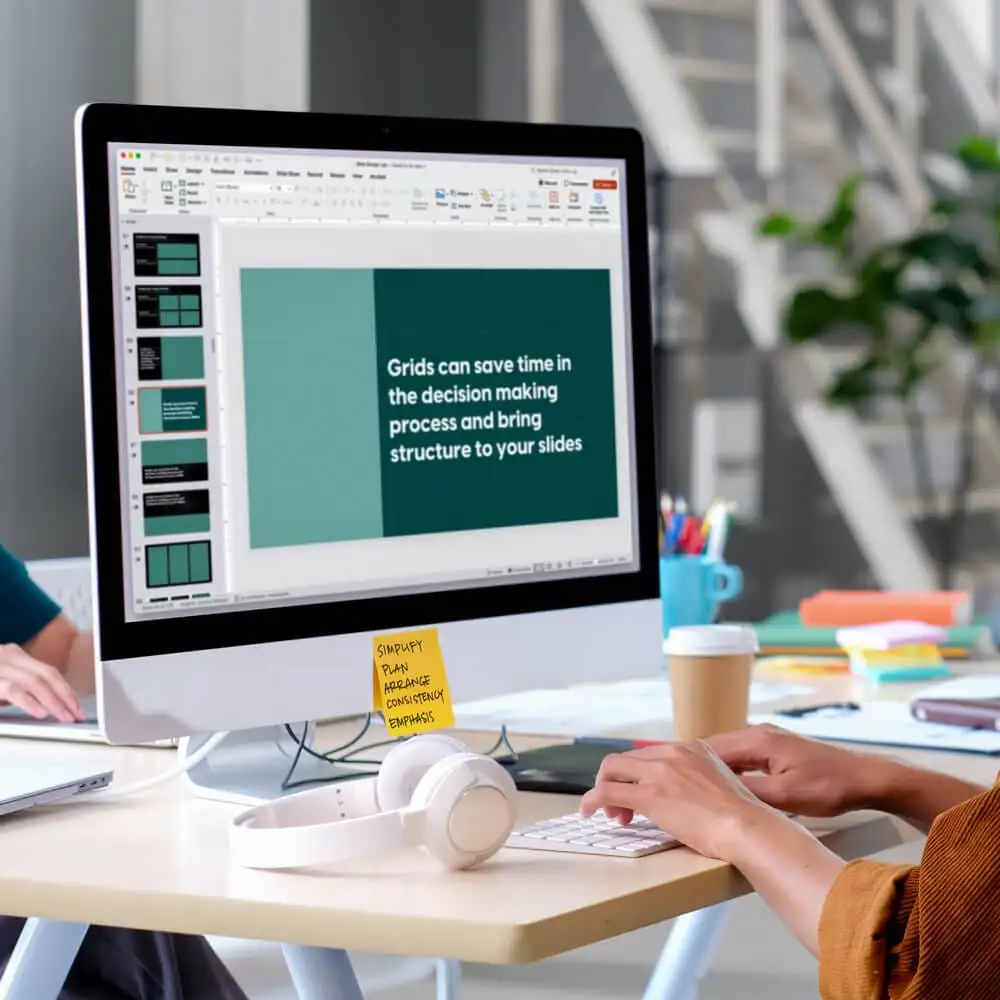
A person sits at a computer while editing presentation slides.
For some of these organizations, this is how analysts and product teams learn to make technical work legible to an executive room. For others, it is how a whole function gets to a shared standard for what a strong slide looks like.

How Does Duarte Approach Presentation Design Training?

The slide design methodology from Duarte’s award-winning book, Slide:ology®, helps teams build the discipline that turns thinking into visuals an audience can follow:

Duarte AI icon: thinks through ideas

Think Like a Designer

The judgment underneath good design: seeing the signal in a crowded slide, sketching before building, and using shared critique language to make a deck better as a team.

Duarte AI icon: structures narratives

Work Like a Designer

The method that turns that judgment into finished slides. Teams learn The S.P.A.C.E. Method™ to simplify overloaded slides, choose the right slide type, and turn dense text and data into visuals that carry the idea.

Ready to Help Your Team Design Clearer Presentations?

Let’s discuss how this training fits your team’s work and the kind of presentations they build.

Talk with Our Team

The work gets clearer, and the team can see it

9.5 9.5 /10

average Duarte facilitator score

9 9 /10

able to apply what they learned immediately

9.2 9.2 /10

would recommend the training

Who this is for

Who Takes Presentation Design Training?

A man in a beanie sits at a computer and edits slides.

This training is more than a PowerPoint design class; it’s built for teams whose work depends on making complex thinking clear so the slide design helps audiences remember information and make a decision.

  • Analysts and data teams who need findings to land with executives
  • Product and technical teams translating detailed work for non-technical rooms
  • Communication and HR teams holding a quality bar across the function
  • Consultants and customer-facing teams whose slides represent the brand
  • Any team where slide quality currently depends on who happens to build the deck
If you lead one of these teams and need to take their slide design and visual thinking to the next level, this training is for that. Teams leave with a shared method, a common vocabulary for critique, and a transferable way of turning complex ideas into visuals that stand on their own.

Talk with Our Team

What Do Duarte Workshop Participants Say?

“The concepts I learned in this class are directly applicable to the work I do. Implementing what I learned will help me be more strategic in planning and creating my presentations, so I can better communicate what I actually want my audience to hear.”

“Duarte’s Slide:ology was an eye opener to me as a designer. Even though I knew some of the concepts, the session provided a structure to those and how I can apply them in my work. … Great value for the time which I had spent in this session.”

“Slideology was a fun learning experience that will help our team be more intentional with presentation design. We walked away with a shared focus on simplicity and a shared language for critiquing our work.”


Frequently asked questions

Presentation design training teaches a team to turn complex ideas into clear visuals an audience can follow and act on, not just better-looking slides. Duarte’s program is built on the award-winning Slide:ology® methodology, and it teaches the visual thinking and The S.P.A.C.E. Method™ behind decks that move work forward.
A typical slide design course or PowerPoint design class teaches software features and formatting. Duarte’s presentation design training teaches the thinking first: how to find the one idea a slide needs to make, simplify what competes with it, and turn dense data into a visual that carries the point. Then it applies that thinking in any tool, including PowerPoint, Keynote, or Google Slides.
Analysts and data teams, product and technical teams, marketing and communication teams, and consultants. In short, any team whose work depends on making complex thinking clear to decision-makers, plus the leaders who manage them and want a consistent quality bar across the function.
Yes. Participants critique sanitized versions of real-life slides we’ve received from clients, so it’s based on our years of agency work. They also connect the concepts to real presentations they have at work.
The program is designed for teams, so participants build a shared method and a common vocabulary for critique. It’s available as a virtual or in-person experience.
The S.P.A.C.E. Method™ is Duarte’s approach to simplifying overloaded slides. It helps teams choose the right slide type and turn dense text and data into visuals that carry the idea. It’s the “work like a designer” half of the Slide:ology® methodology.